Showing posts with label jintaiya. Show all posts
Showing posts with label jintaiya. Show all posts

[NEW RELEASE]


[ jintaiya ] *bat wings
- 4 sizes bat wings (Animesh)
- 3 colors, 6 animations(HUD)
- Animation switching (Flying/Landing)
- both wings, one wing (right/left), non-rig wings
-------------------------------------------------------------------------
>> Another color *bat wings (red, black, white, blood) <<


[ jintaiya ] *bat wings
-------------------------------------------------------------------------
[NEW RELEASE]


[ jintaiya ] *bones tail
- Bento bones tail
- White, Black, or Fatpack
-Uuses the same texture as product *Skeleton -DX-
- Bento animetions (x5)
@ Fantasy Faire 2022 (04/22 - 0508)
<INFO> *Skeleton -DX-
--------------------------------------------------------------------------------------------
<NOTE>
Those bento skeletons are updated item.
If you have these skeleton, please come to [ ridi-ludi-fool ] main store and get the new skeleton.
For more information,
>!!!Skeleton UPDATE for users!!!


--------------------------------------------------------------------------------------------
[ jintaiya ] *Skeleton -DX- Male & Female


- Bento skeleton body
- Wings (Animesh & Bento, Right wing, left wing, both wings each)
- Bento skeleton body
- Wings (Animesh & Bento, Right wing, left wing, both wings each)
- HUD (Hide/Show parts, Save/Load alpha settings,
★color change settings★
----> Only the shown active parts will be color-changed
----> The hidden inactive parts will also be color-changed
8 color change, 7 foot shapes, 3 wing animations)
- HUD for Wings (3 animations)
- Copy, Modify OK
<Color Change Settings>
[NEW RELEASE]


[ jintaiya ] *bangasa
- Texture change, 20 poses, torn type, re-size, and more.
自作テクスチャ貼り「Your textures」ボタン
START:ダイアログ窓に傘の表・裏UUIDをコピペしてテクスチャを貼ります(表裏同じテクスチャでもOK)
1)SHOW:いつでも自作テクスチャを呼び出せます
2)NEW:違うテクスチャに貼りなおします
Paste your own texture with the "Your Texture" button.
Start: Copy and paste the UUIDs on the front and back of the umbrella into the dialog window (the same texture on the front and back is fine)
1) SHOW: You can call your own texture at any time.
2) New: Re-paste another texture.
位置・角度合わせ
リグなしなので装着したら必要に応じて位置を合わせてください
「Edit axis root」を選択して編集すると合わせやすいと思います
Position / angle adjustment.
Since it is a non-rig, please adjust the position of the umbrella if necessary after attaching.
I think it's easier to edit if you select "Edit axis root".
肩から先ポーズ
左右(ミラー) 20ポーズずつ
お好みのポーズや普段使いのAOと合わせてお使いください
Shoulder-to-finger pose.
Left and right (mirror) 20 poses each.
Please use it with your favorite pose and usual AO.
カラーチェンジ
骨 一本置き、色 裏表 各5色
Color change.
Bone, alternating. Color, front and back. 5 colors each.
透過/発光/光沢/寸法/破
Your textures ボタンからお好みのテクスチャ貼れます
(とはいえ編集可なのでHUD使わなくても好きに編集できます)
Transmission / glow / gloss / size / tear
(Since it is editable, you can edit it as you like without using the HUD)
[ jintaiya ] *bangasa
Bangasa is an old Japanese coarse oilpaper umbrella.
- Texture change, 20 poses, torn type, re-size, and more.
- You can make your own umbrella with your texture.
- Include HUD, UV map, low model for rez.
- Copy Modify,Transfer
- Copy Modify,
START:ダイアログ窓に傘の表・裏UUIDをコピペしてテクスチャを貼ります(表裏同じテクスチャでもOK)
1)SHOW:いつでも自作テクスチャを呼び出せます
2)NEW:違うテクスチャに貼りなおします
Paste your own texture with the "Your Texture" button.
Start: Copy and paste the UUIDs on the front and back of the umbrella into the dialog window (the same texture on the front and back is fine)
1) SHOW: You can call your own texture at any time.
2) New: Re-paste another texture.
位置・角度合わせ
リグなしなので装着したら必要に応じて位置を合わせてください
「Edit axis root」を選択して編集すると合わせやすいと思います
Position / angle adjustment.
Since it is a non-rig, please adjust the position of the umbrella if necessary after attaching.
I think it's easier to edit if you select "Edit axis root".
肩から先ポーズ
左右(ミラー) 20ポーズずつ
お好みのポーズや普段使いのAOと合わせてお使いください
Shoulder-to-finger pose.
Left and right (mirror) 20 poses each.
Please use it with your favorite pose and usual AO.
カラーチェンジ
骨 一本置き、色 裏表 各5色
Color change.
Bone, alternating. Color, front and back. 5 colors each.
透過/発光/光沢/寸法/破
Your textures ボタンからお好みのテクスチャ貼れます
(とはいえ編集可なのでHUD使わなくても好きに編集できます)
Transmission / glow / gloss / size / tear
(Since it is editable, you can edit it as you like without using the HUD)
[NEW RELEASE]


[ jintaiya ] *Kuji-in
- Animesh bone hand attachment.
[ jintaiya ] *Kuji-in
Kuji-in is a method of praying for disaster relief and victory
with nine-character spells and nine types of hand signs.
- Animesh bone hand attachment.
- FatPack Bonus => Linked Avatar Animation
- Fat pack, white/black, red/rust, moss/color, gold/silver
- HUD (Animation / Pose / Texture / Effect)
- Copy Modify,Transfer
It's opened in the event during a period.


Japanese Horror Event KAGAMI 2021
Mall Open: 2/19
Game Open: 2/27
https://kagamicreation.wixsite.com/sl-kagami2021
- HUD (Animation / Pose / Texture / Effect)
- Copy Modify,
It's opened in the event during a period.

Japanese Horror Event KAGAMI 2021
Mall Open: 2/19
Game Open: 2/27
https://kagamicreation.wixsite.com/sl-kagami2021
[NEW RELEASE]


[ jintaiya ] *kugutsu
- Bone hand marionette
Japanese Horror Event KAGAMI 2021
Mall Open: 2/19
Game Open: 2/27
https://kagamicreation.wixsite.com/sl-kagami2021
[ jintaiya ] *kugutsu
- Bone hand marionette
- Fat pack, white/black, red/rust, moss/color, gold/silver
- HUD (Alpha / Glow / Nuance / Texture)
- Copy Modify,Transfer
It's opened in the event during a period.

- HUD (Alpha / Glow / Nuance / Texture)
- Copy Modify,
It's opened in the event during a period.
Japanese Horror Event KAGAMI 2021
Mall Open: 2/19
Game Open: 2/27
https://kagamicreation.wixsite.com/sl-kagami2021
[NEW RELEASE]

--------------------------------------------------------------------------------------------
<NOTE>
This is update item.
If you have these skeleton, please come to [ ridi-ludi-fool ] main store
--------------------------------------------------------------------------------------------
<NOTE>
This is update item.
If you have these skeleton, please come to [ ridi-ludi-fool ] main store
and get the new skeleton.
For more information,
>!!!Skeleton UPDATE for users!!!
--------------------------------------------------------------------------------------------
For more information,
>!!!Skeleton UPDATE for users!!!
--------------------------------------------------------------------------------------------
[ jintaiya ] *Skeleton -DX- Male
- Bento skeleton body
- Bento skeleton body
- Wings (Animesh & Bento, Right wing, left wing, both wings each)
- HUD (Hide/Show parts, Save/Load alpha settings,
★color change settings★
----> Only the shown active parts will be color-changed
----> The hidden inactive parts will also be color-changed
8 color change, 7 foot shapes, 3 wing animations)
- HUD for Wings (3 animations)
- Copy, Modify OK
<Color Change Settings>
[NEW RELEASE]
--------------------------------------------------------------------------------------------
<NOTE>
This is update item.
If you have these skeleton, please come to [ ridi-ludi-fool ] main store and get the new skeleton.
For more information,
>!!!Skeleton UPDATE for users!!!
--------------------------------------------------------------------------------------------
--------------------------------------------------------------------------------------------
<NOTE>
This is update item.
If you have these skeleton, please come to [ ridi-ludi-fool ] main store and get the new skeleton.
For more information,
>!!!Skeleton UPDATE for users!!!
--------------------------------------------------------------------------------------------
[ jintaiya ] *Skeleton -DX- Female
- Bento skeleton body
- Bento skeleton body
- Wings (Animesh & Bento, Right wing, left wing, both wings each)
- HUD (Hide/Show parts, Save/Load alpha settings,
★color change settings★
----> Only the shown active parts will be color-changed
----> The hidden inactive parts will also be color-changed
8 color change, 7 foot shapes, 3 wing animations)
- HUD for Wings (3 animations)
- Copy, Modify OK
<Color Change Settings>
[NEW RELEASE]
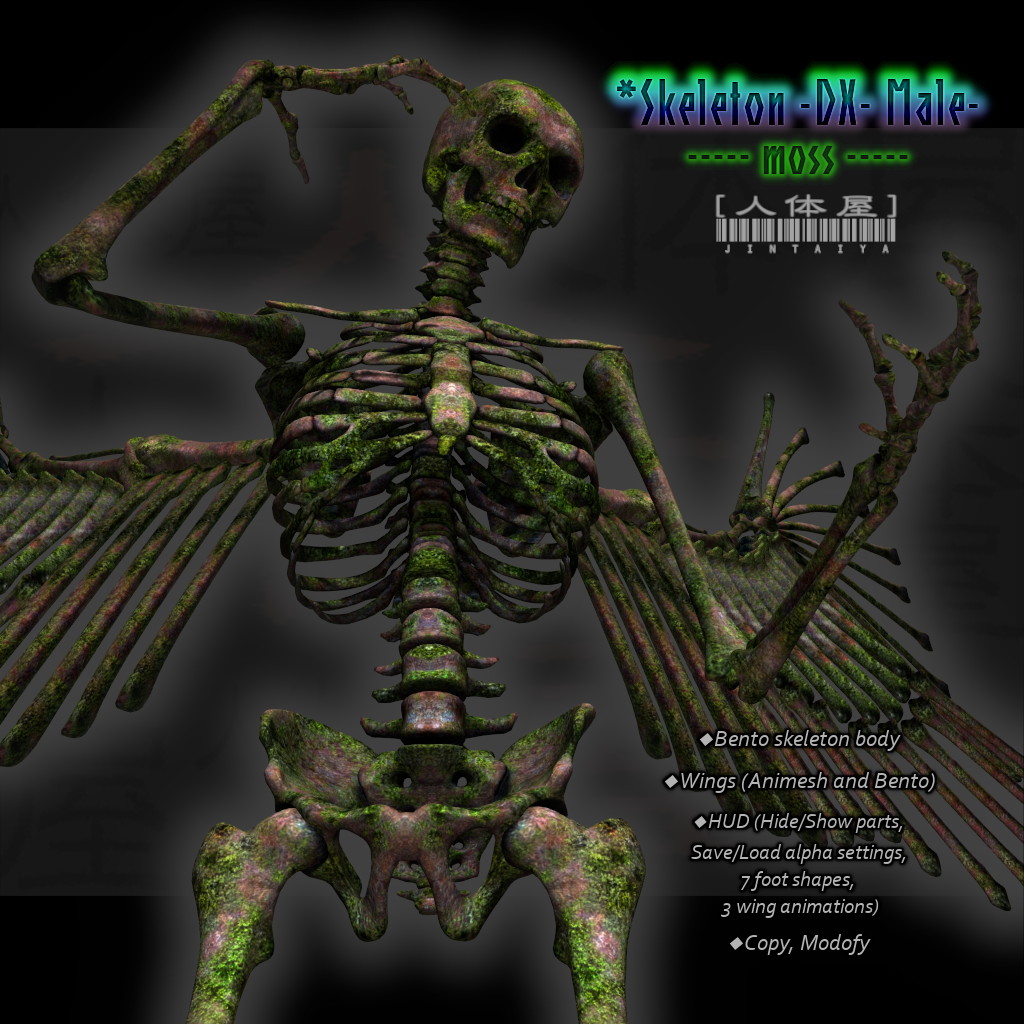

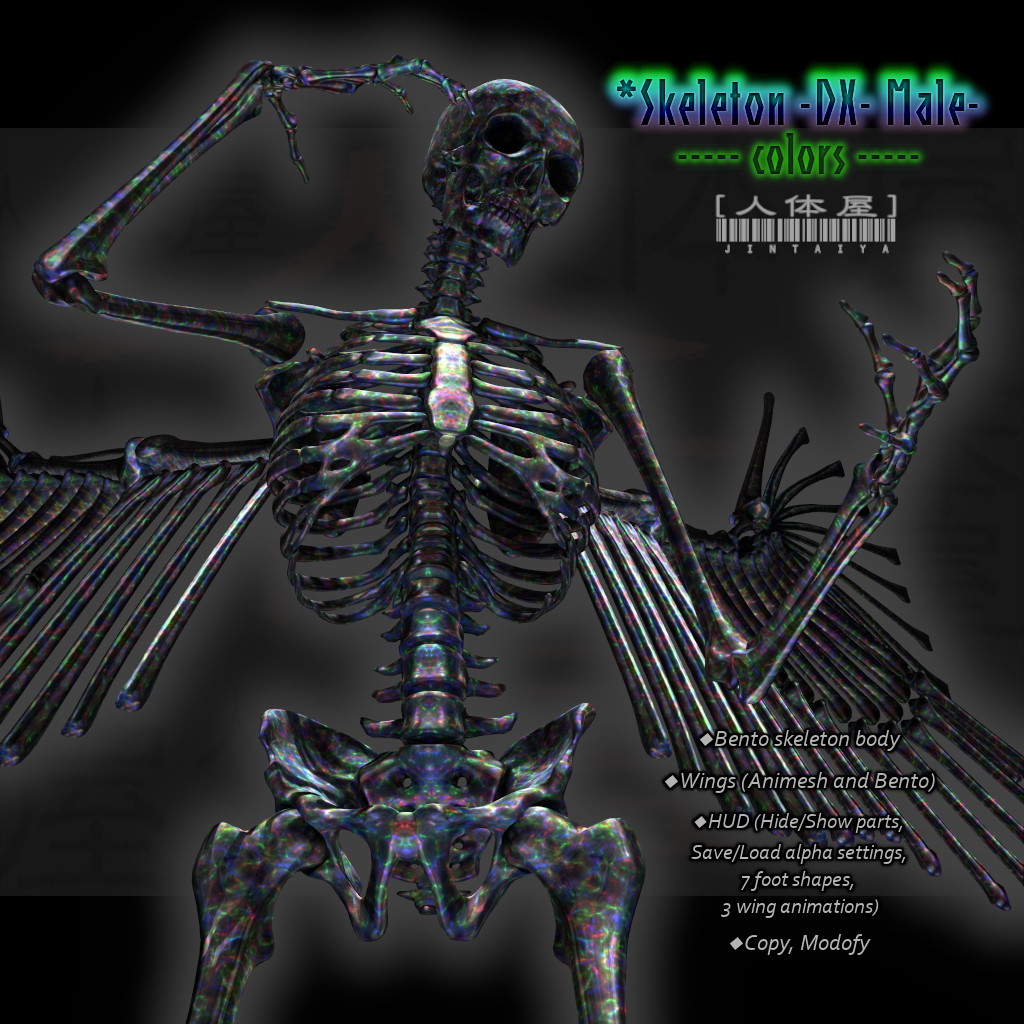


[ jintaiya ] *Skeleton -DX- Male
(white, black, gold, silver, red, rust, moss, colors)
- Bento skeleton body
(white, black, gold, silver, red, rust, moss, colors)
- Bento skeleton body
- Wings (Animesh & Bento, Right wing, left wing, both wings each)
- HUD (Hide/Show parts, Save/Load alpha settings,
7 foot shapes, 3 wing animations)
- HUD for Wings (3 animations)
- Copy, Modify OK


