I am very grateful to all of you who bought our products and all of you reading this blog.
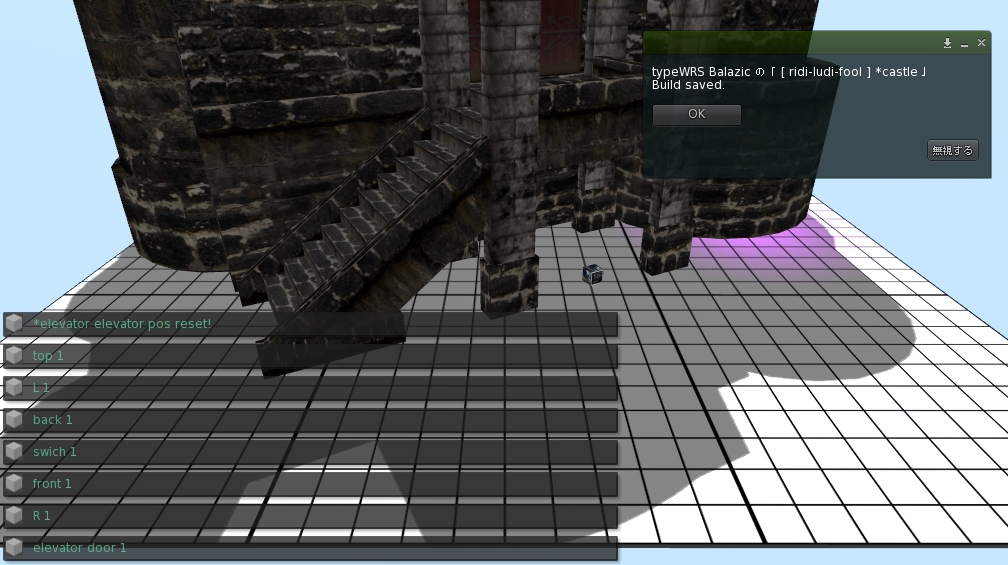
There is an elevator of the iron grille for getting down to underground in *castle.
Although the elevator is located on the back side of a camouflage door and only the owner has opened and closed the door,we prepared this time
the script which enables change of access to a camouflage door.
You only replace an old script of the camouflage door with this new script,
and become able to choose the person who can access the camouflage door
Please refer to the following reports about how to replace scripts.
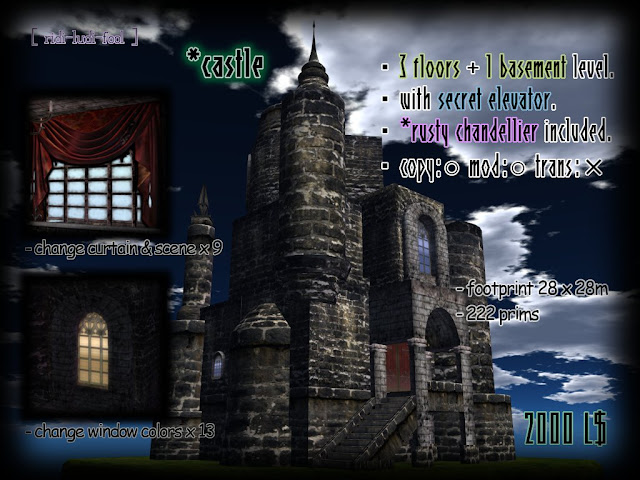
about *castle http://ridi-ludi-fool2.blogspot.com/2010/10/castle.html
The important news is delivered from [ ridi-ludi- fool ] group.
Please join us if interested.
http://world.secondlife.com/group/a528c4a9-31d8-c080-2d89-4c23494e821a
The script is in [ ridi-ludi- fool ] MAIN shop.
Please buy it with 0L$.
< How to replace script for *camouflage door>
1)Please be sure to shut a door and to begin work.

2) Edit *camouflage door and delete an old script "New Script" in contents.
The new script "*camouflage door" is dragged and dropped from your inventory to contents.

3)Dialog is displayed by your press and hold, and choose a button.
"Owner" --- Only an owner can open / close a door.
"Group" --- Only members of the group set at the door can open / close a door.
(A setup of a group is mentioned later)
"Anyone" --- Anyone can open / close a door.
"-exit -" --- Dialog is closed.

4)Your setup can be checked by a chat.


5)*camouflage door opened and closed by touch.

6)The present access permit describes at [description] of a general tab.
About a setup of the group permitted by "Group" ---
- The member of a group described in the [group] of a door is permitted access.
- How to change the group set as the door,
1)Push a button beside [group] and call a group list.
2)Choose the group which wants to admit access from a list, and push the OK button.
Cautions!!
When you rent land, objects may be returned if the group is changed.
Please confirm the agreement of land before change.

【Access change script for *camouflage door】
There is an elevator of the iron grille for getting down to underground in *castle.
Although the elevator is located on the back side of a camouflage door and only the owner has opened and closed the door,we prepared this time
the script which enables change of access to a camouflage door.
You only replace an old script of the camouflage door with this new script,
and become able to choose the person who can access the camouflage door
among "Owner only, Group member only, Anyone".
Please refer to the following reports about how to replace scripts.
about *castle http://ridi-ludi-fool2.blogspot.com/2010/10/castle.html
The important news is delivered from [ ridi-ludi- fool ] group.
Please join us if interested.
http://world.secondlife.com/group/a528c4a9-31d8-c080-2d89-4c23494e821a
The script is in [ ridi-ludi- fool ] MAIN shop.
Please buy it with 0L$.
< How to replace script for *camouflage door>
1)Please be sure to shut a door and to begin work.
2) Edit *camouflage door and delete an old script "New Script" in contents.
The new script "*camouflage door" is dragged and dropped from your inventory to contents.
3)Dialog is displayed by your press and hold, and choose a button.
"Owner" --- Only an owner can open / close a door.
"Group" --- Only members of the group set at the door can open / close a door.
(A setup of a group is mentioned later)
"Anyone" --- Anyone can open / close a door.
"-exit -" --- Dialog is closed.
4)Your setup can be checked by a chat.
5)*camouflage door opened and closed by touch.
6)The present access permit describes at [description] of a general tab.
About a setup of the group permitted by "Group" ---
- The member of a group described in the [group] of a door is permitted access.
- How to change the group set as the door,
1)Push a button beside [group] and call a group list.
2)Choose the group which wants to admit access from a list, and push the OK button.
Cautions!!
When you rent land, objects may be returned if the group is changed.
Please confirm the agreement of land before change.